Accessibility Tools Should Be Accessible
Accessibility tools should be accessible
I ran an accessibility check on my website. Seemed like a sensible thing to do. Accessibility tools should help you find problems, fix barriers, and make the experience better for people who use the site.
The result came back with a score, some warnings, and a couple of things that didn’t look right. Nothing wildly dramatic at first glance, but enough to make me start digging.
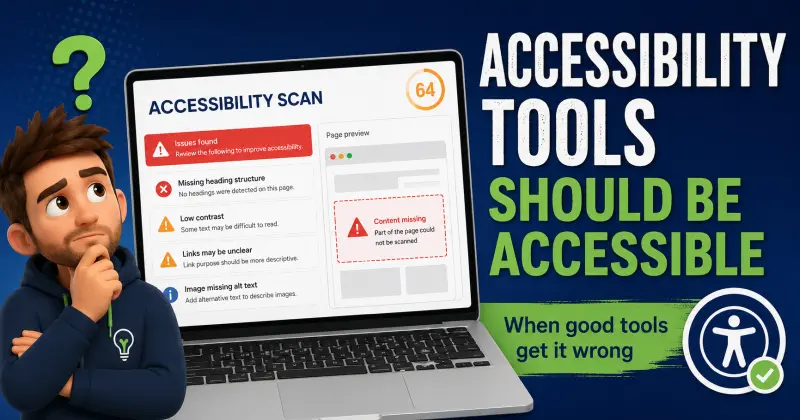
One of the warnings said I had no heading structure. That was strange, because I built the site myself. I know it has headings. I checked. They’re there.
Still, the tool said they were missing. So now I’m not fixing accessibility. I’m questioning reality. Which is not usually the intended outcome of a website accessibility checker.

The scan was not seeing the actual page
Then I noticed something else. Part of the page was missing in the scan. Not hidden. Not broken. Just not there.
So the tool was analysing a page that wasn’t really the page. And then confidently telling me what was wrong with it.
At that point I had stopped improving the site. I was debugging the tool. At 4:55 in the morning. That is not a workflow. That is a tiny digital trapdoor.
This is the bit that does not get talked about enough. Accessibility is not just about websites. It is about the tools as well. It is about how those tools communicate, how they handle uncertainty, and whether they help or hinder the person using them.
When an accessibility checker gets it wrong
Here is what actually happened. I ran a tool that was supposed to help. It gave me incorrect information. I trusted it enough to investigate. I lost time chasing something that was not real.
- The accessibility checker reported missing headings that were present on the page
- The scan appeared to miss part of the page content
- The result looked precise enough to be trusted
- The tool created doubt instead of clarity
That is not neutral. It is not harmless. It is a problem, especially when the person using the tool is the kind of person who will not just shrug and move on.
For someone like me, this matters. I do not just see a warning and ignore it. I go after it. I want it right. So when a tool is wrong, it does not just sit there politely in the corner. It pulls me in.
The irony is hard to miss
A tool designed to improve accessibility had just made things less accessible. Not for a website visitor, but for the person using the tool.
That sounds like a technical rant, but it is not really. It is a design problem.
If your tool cannot fully render a page, gets blocked by security, misses content, or does not understand what it is looking at, then it should say that. Clearly. Up front. No score. No judgement. No guessing.
Something as simple as this would have saved me hours:
- This scan may be incomplete
- Results may not reflect the actual page
- Some content could not be processed
- Please check the rendered page manually before acting on these results
That would be useful. That would be honest. That would also be far more accessible than giving me a score that looks precise, warnings that are not accurate, and just enough credibility to make me trust the result.

Accessibility testing tools need honest uncertainty
The W3C Web Accessibility Initiative says automated tools can help with accessibility evaluation, but no tool alone can determine whether a site meets accessibility standards. Human judgement is still needed. That feels important here, because the problem was not just that the scan was limited. The problem was that the limitation was not obvious enough when I needed it to be obvious.
You can read the W3C guidance on evaluating web accessibility if you want the broader context. The useful point for me is this: tools are part of the accessibility experience. If the tool creates confusion, it has become part of the barrier.
Accessibility tools need to be accessible. That means clear communication, honest uncertainty, and no pretending to know things they do not know.
Because when they get it wrong, they do not just waste time. They create friction. They create doubt. They create exactly the kind of experience accessibility is supposed to remove.
And if you want proof of that, it was 4:55am and I was still there. Not fixing the website. Debugging the thing that was supposed to help me fix the website.
Frequently asked questions
Are accessibility tools always accurate?
No. Accessibility tools can be useful, but they are not always accurate. They can miss content, fail to render a page properly, or report issues that are not really present on the live page.
Why might an accessibility checker miss headings?
An accessibility checker might miss headings if it cannot fully process the page, if part of the page fails to render in the scan, or if security settings prevent the tool from seeing the page properly.
Should I rely on automated accessibility testing alone?
No. Automated accessibility testing is useful as a starting point, but it should be combined with manual checks, real page testing, and human judgement.
What should accessibility tools do when a scan is incomplete?
They should say so clearly. If a scan may be incomplete, the tool should warn the user before giving scores or recommendations that might not reflect the actual page.
Why does this matter for neurodivergent users?
Unclear or inaccurate tool feedback can create extra friction, especially for people who may fixate on warnings, feel pulled into uncertainty, or spend unnecessary time trying to resolve problems that are not real.
Want more like this? Head over to the blog for practical, real-world support and the odd useful rant.
View Blog Home